


Has AI made presentations worse!?
Submitted by Jack Milner on October 5, 2026
I was reflecting the other day with another communication coach about whether AI has actually improved presentations.
Because now you can literally type: Here’s our business, here’s what I’m thinking, I’ve got to speak to the senior leadership team — fashion me ten slides that does the job.
And you’ll get a pretty good-looking deck.
So I asked my mate a slightly loaded question, because I had a fair idea what he’d say: “With all this, have presentations actually got better?”
“No,” he said. “They’ve got worse.”
Purely anecdotal, of course, but he thought noticeably worse over the last 18 months. And I’ve noticed a similar trend. Certainly, they’re not getting better.
(Obviously, after people have seen us, they’re amazing!)
And yes, I’m aware this is beginning to sound suspiciously like a cunning sell for presentation coaches.
But there’s something interesting going on.
Last week I was running a workshop where one of the big questions was: How do we use Copilot effectively? They knew it was fantastic in many ways, but they were actually finding presentations harder.
And I think the reason is simple.
To connect with an audience, you have to own your presentation.
The AI presenter reminds me of the poor manager of a few years ago who was handed their boss’s deck and told, “Can you present this?” They didn’t really know why they were presenting it, so they talked through the slides, as confused as their audience, hoping the whole thing would end soon and regretting ever saying yes.
AI can create exactly the same problem.
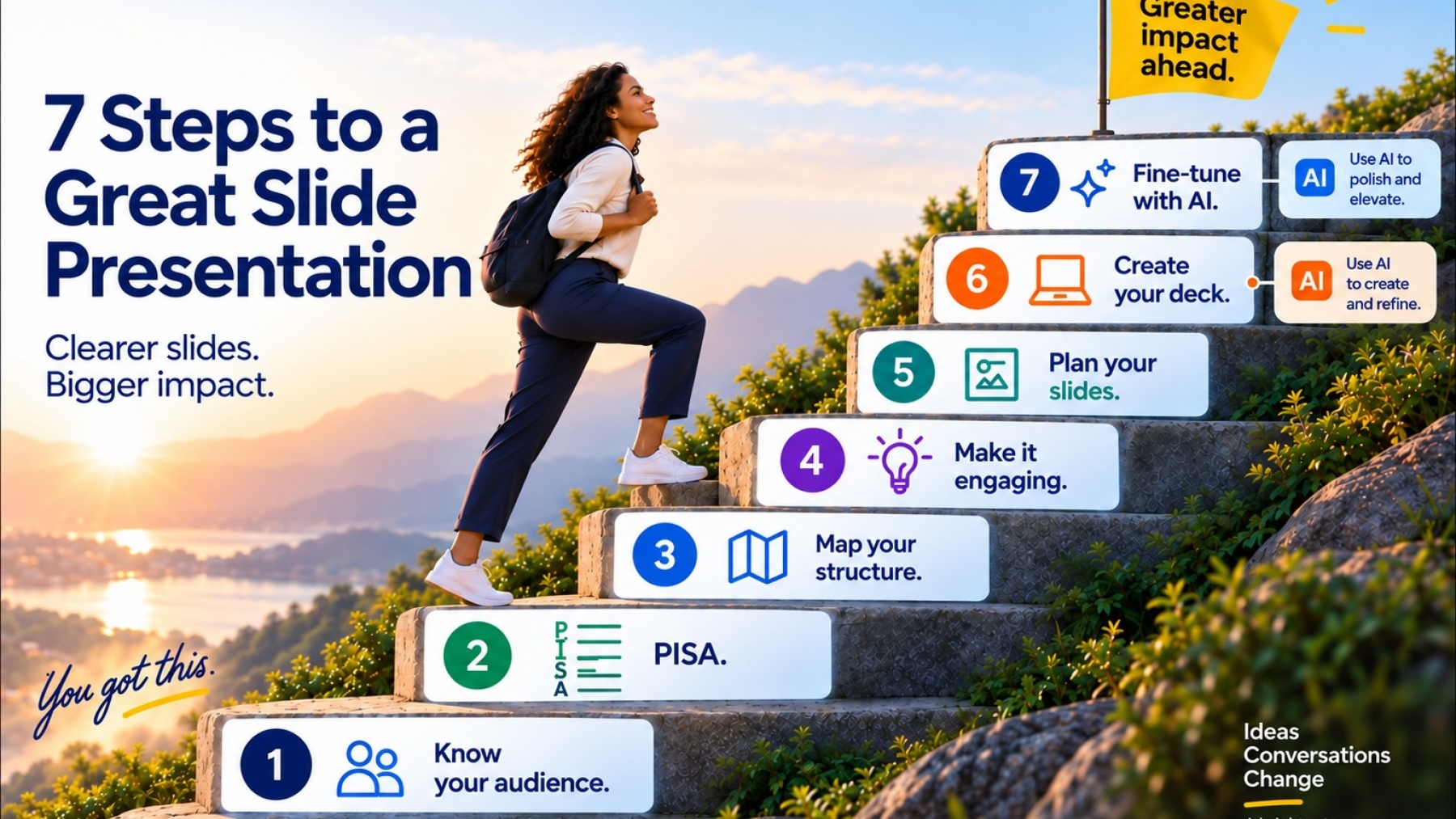
So here are my seven steps to owning your AI presentation.
1. Know your audience.
Who are they? Who aren’t they? What do they want, need and definitely not want? AI can help you think this through, but you need to imagine yourself sitting in their seats.
Who are they? Who aren’t they? What do they want, need and definitely not want? AI can help you think this through, but you need to imagine yourself sitting in their seats.
2. Get clear on your PISA.
What’s the Purpose, Impact, So What and Audience? Feed that into AI rather than asking AI to decide it for you. If you don’t know why you’re presenting, you’re effectively delivering somebody else’s presentation.
What’s the Purpose, Impact, So What and Audience? Feed that into AI rather than asking AI to decide it for you. If you don’t know why you’re presenting, you’re effectively delivering somebody else’s presentation.
3. Map your structure.
Ask your clever AI assistant for help, absolutely. But you need to understand the story and journey of the presentation.
Ask your clever AI assistant for help, absolutely. But you need to understand the story and journey of the presentation.
4. Make it engaging.
Stories, examples, moments that make an idea concrete and real. AI can suggest them, but your personal stories are yours.
Stories, examples, moments that make an idea concrete and real. AI can suggest them, but your personal stories are yours.
5. Plan your slides.
David Henson, author of Your Slides Suck, brilliantly recommends starting away from PowerPoint: flipchart, pencils, crayons, pens. Storyboard the deck first.
David Henson, author of Your Slides Suck, brilliantly recommends starting away from PowerPoint: flipchart, pencils, crayons, pens. Storyboard the deck first.
6. Create the deck.
Now AI really can save you time. You know what each slide needs to do, so let AI help you make it visual. And use your own photographs. They instantly make a presentation more personal, human and yours.
Now AI really can save you time. You know what each slide needs to do, so let AI help you make it visual. And use your own photographs. They instantly make a presentation more personal, human and yours.
7. Fine-tune with AI.
Give AI the finished PDF. Ask it what could be clearer, simpler or stronger. Use it as your incredibly bright assistant.
Give AI the finished PDF. Ask it what could be clearer, simpler or stronger. Use it as your incredibly bright assistant.
And that’s really the point.
AI isn’t the answer. Nor is it the beginning of the end – or indeed the end, to paraphrase somebody rather famous.
It’s an extraordinarily helpful assistant.
But if you want to own your presentation, you still have to be at the centre of creating it.
And, my friends, at the moment there’s no way around that.